
Modern Nissan vehicles equipped with RH850 microcontrollers in the Hands-Free Module (HFM) require a specific procedure to retrieve the immobilizer PIN code. This comprehensive guide explains how to use the Autel MaxiIM IM608 (or IM608II / IM508S) together with the XP400 PRO programmer and the APB131 adapter to read the PIN code directly via dump. The process is safe, reliable, and follows professional automotive diagnostics standards. Whether you are performing key programming, module replacement, or immobilizer reset, obtaining the correct PIN is essential. Below you will find a detailed, step-by-step tutorial that expands on every action, ensuring clarity and avoiding any risk of errors.
By following this method, you will extract the necessary encrypted data from the HFM module, decode the information, and retrieve the unique PIN code for Nissan RH850 systems. This guide is optimized for both beginners and experienced technicians, with clear explanations and visual references (original images preserved). Let’s begin with the required tools and then move through the operation in a systematic manner.
Required Tools & Equipment for Nissan RH850 PIN Extraction
Before starting the PIN reading procedure, it is critical to gather all the necessary hardware and software components. Using genuine or high-quality compatible tools ensures stable communication and prevents module damage. Below is the complete list of tools required for this task:
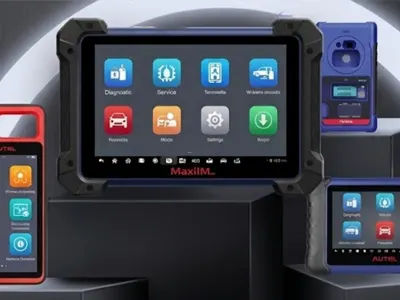
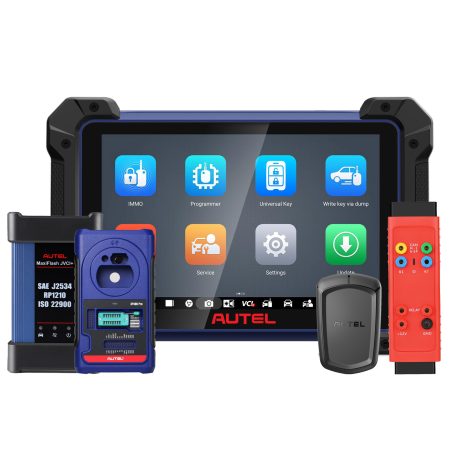
- Autel MaxiIM IM608 – or alternatively IM608II / IM508S (full IMMO function support required).
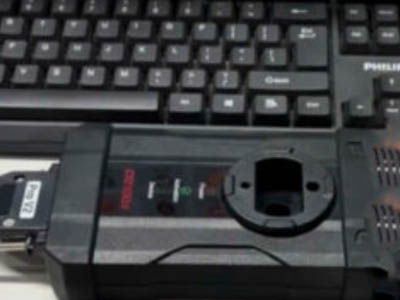
- XP400 PRO Programmer – used for direct memory dump reading and decoding.
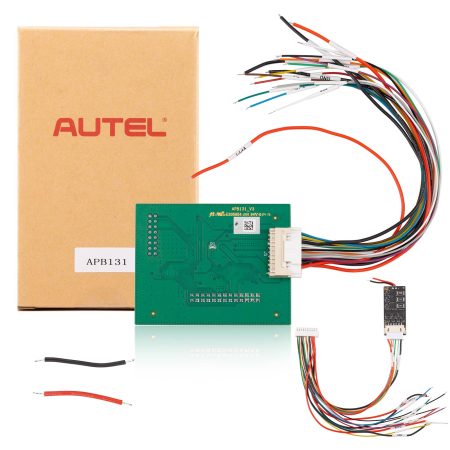
- Autel APB131 Adapter – specially designed for connecting to Nissan HFM RH850 chips.
- 12V DC power supply – stable external power source (recommended 5A minimum) to energize the programmer and module.
- Computer or tablet with Autel IMMO software updated to the latest version (internet connection recommended).
- Basic disassembly tools (screwdrivers, trim tools) to remove the HFM from the vehicle and open the module case.
Ensure that your Autel diagnostic tablet is fully charged and running the latest firmware. The XP400 PRO should be connected via USB or wirelessly (depending on your setup) to the main unit. Using the APB131 adapter without proper orientation might cause connection failures.
Step-by-Step Procedure to Read Nissan RH850 PIN via Dump
The operation consists of two main phases: first, accessing the correct menu on the Autel IMMO tablet and preparing the system; second, physically connecting the module, reading the dump data, and decoding the PIN. Each step is explained in detail below with references to the on-screen guidance and hardware connections. Do not skip any safety or connection verification steps to avoid incomplete reads.
Step 1 – Navigate to “Read PIN via Dump” on Autel IMMO Tablet
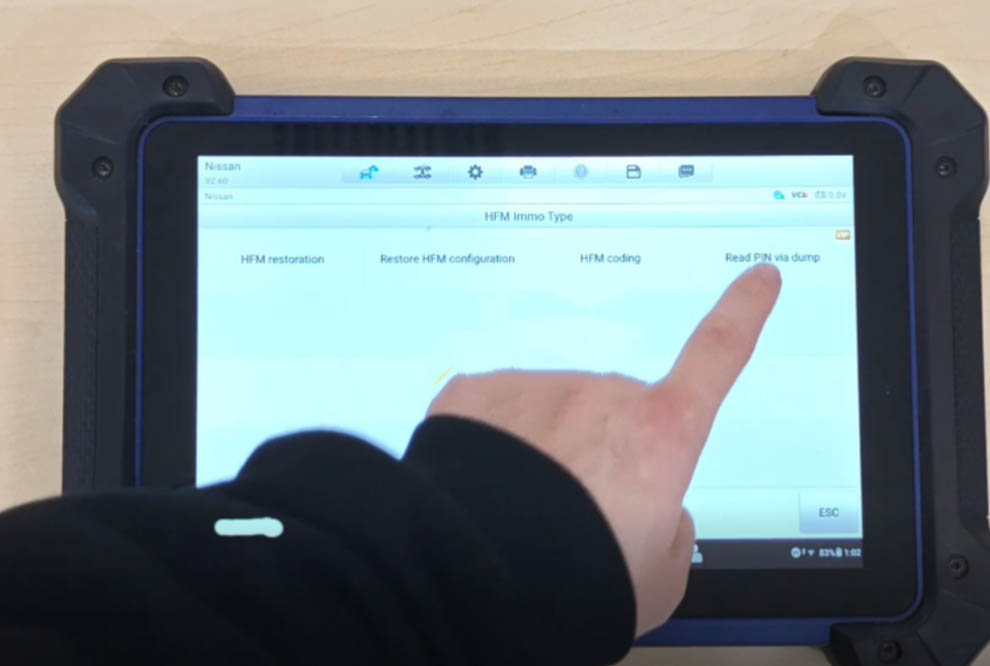
Turn on your Autel MaxiIM IM608 or IM508S tablet. From the main screen, launch the IMMO (Immobilizer) application. Once inside the IMMO menu, follow the navigation path exactly:
IMMO → Nissan → System Selection → HFM Immo Type → Read PIN via dump
After selecting “Read PIN via dump”, the tablet will display a series of instructions and warnings. Read them carefully. The system will ask you to confirm that the HFM module has been removed from the vehicle. Do not attempt to perform the dump read while the HFM is still connected to the car’s electrical system – always remove the module first. The tablet may also prompt you to check compatibility (Nissan RH850 series). Accept the prompts and continue to the hardware connection diagram.
Step 2 – Physical Disassembly and Hardware Setup (Refer to Operation Guide)
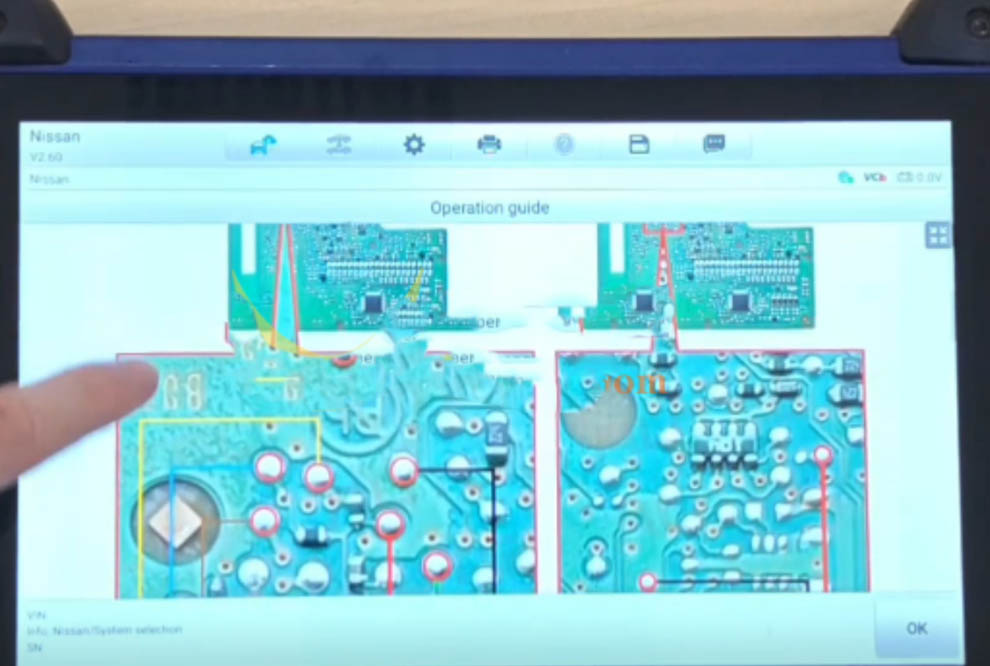
At this point, the Autel tablet will display a pop-up window on the right side of the screen containing the operation guide. This guide is crucial for correct wiring and adapter placement. Follow each sub-step precisely:
2.1 – Remove the Hands-Free Module (HFM) from the vehicle
Locate the HFM unit (typically behind the dashboard, near the steering column, or under the center console depending on Nissan model). Disconnect the battery negative terminal before unplugging any connectors. Remove mounting screws and carefully extract the module. Once out, place it on a clean anti-static mat.
2.2 – Disassemble the HFM module
Using precision screwdrivers, open the plastic housing. Identify the circuit board containing the RH850 microcontroller. Avoid touching exposed components with bare hands – use ESD-safe tools or gloves. Locate the programming pads or connector points that match the APB131 adapter pinout.
2.3 – Connect the programmer, APB131 adapter, and HFM board
Refer to the connection method shown in the figure below (the exact pin mapping depends on chip model RH850). Attach the APB131 adapter to the XP400 PRO programmer following the color-coded or numbered guide. Then connect the adapter clips or pins to the corresponding test points on the HFM board. Double-check each connection – reversed polarity or misaligned pins can cause read errors or damage.
2.4 – Power up the programmer with 12V DC
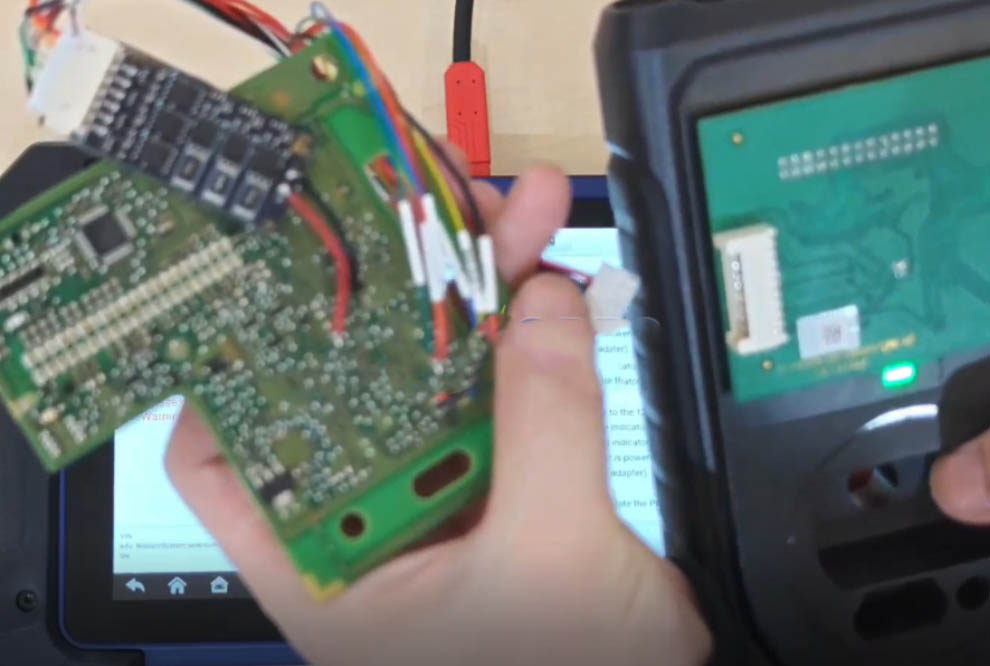
Connect the 12V DC power supply to the XP400 PRO programmer. Observe the indicator lamp on the programmer: it should turn GREEN within a few seconds, indicating proper power and standby status. If the LED remains RED, this signals a problem – usually the programmer was powered on before connecting the APB131 adapter, or there is a short circuit. In such case, disconnect power, verify all connections, then power on again ensuring the adapter is attached beforehand. The correct order: connect adapter → attach to HFM → then apply 12V power to programmer. A steady green light means you are ready to read the dump.
Step 3 – Read the RH850 Memory Dump and Save the File
Once the hardware connections are verified and the programmer LED is green, return to the Autel tablet. The software should now enable the “Read Dump” button. Press it to initiate the reading process. The system will start communicating with the RH850 chip via the APB131 adapter. Depending on memory size and communication speed, this may take 30 seconds to 2 minutes.
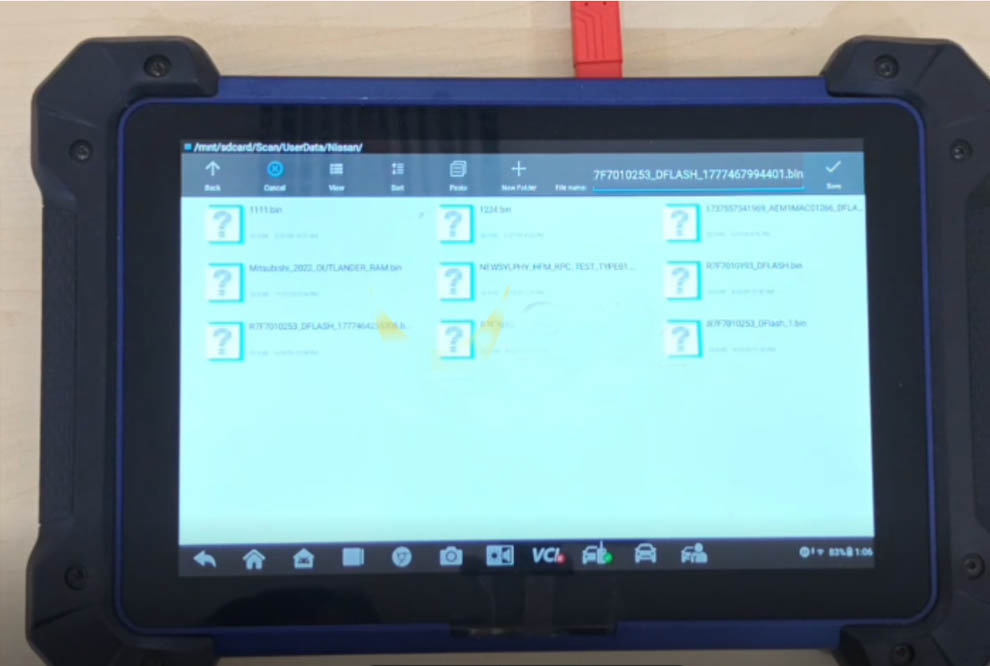
During reading, do not disconnect any cables or interrupt power. The tablet screen will show progress bars and hex data flow. After successful completion, the software will ask you to save the dump file. Choose a recognizable name (e.g., “Nissan_RH850_HFM_dump.bin”) and store it on the tablet’s internal storage or an SD card. Saving a backup copy is recommended for future reference or if decoding needs to be repeated.
Step 4 – Decode the Dump Data and Calculate the Nissan RH850 PIN Code
After saving the dump file, the Autel IMMO software typically offers an automatic decoding function. Click the “Decode” or “Calculate PIN” button that appears after a successful read. The program will analyze the binary data, locate the encrypted PIN area specific to Nissan RH850, and apply the proper algorithm to extract the plaintext PIN code.
The decoded PIN will appear on the screen, usually a 4-digit or 5-digit numeric code (depending on Nissan model year and region). Write down this PIN accurately – it will be required for key programming, module adaptation, or immobilizer relearn. In some cases, you may also see additional data such as BCM code or security bytes. Make sure to keep the original dump file stored safely; you can also use third-party decoder software as a secondary check, but Autel’s built-in decoder is reliable for most HFM RH850 variants.
If the decoding fails, verify that the dump was read correctly and that the RH850 chip is fully supported by your Autel firmware. Updating the tablet to the latest IMMO database often resolves compatibility issues. Once the PIN is obtained, you can proceed with any necessary immobilizer operations.
Additional Tips for Successful Nissan RH850 PIN Reading
To maximize success rates and avoid common pitfalls, consider the following professional recommendations:
- Stable power supply: Use a bench power supply set to exactly 12V DC with current capacity of at least 2A. Unstable power may cause partial dumps or corrupted data.
- Clean connections: Before attaching the APB131 adapter, clean the test points on the HFM board with isopropyl alcohol. Oxidation or flux residue can prevent proper contact.
- Firmware update: Always run the latest Autel firmware for IM608/XP400 PRO. Newer versions include extended coverage for Nissan RH850 variants and faster decoding algorithms.
- Anti-static precautions: RH850 microcontrollers are sensitive to electrostatic discharge (ESD). Wear a grounded wrist strap or frequently touch a grounded metal surface.
- Double-check adapter orientation: The APB131 adapter has a specific orientation relative to the programmer port. Refer to the printed arrow or notch on the adapter housing.
By following these guidelines, even technicians who are new to dump-based PIN reading will achieve reliable results. The Autel IM608 combined with APB131 is a proven solution for Nissan immobilizer work, eliminating the need for expensive dealership tools.
Conclusion & Final Verification
Reading the Nissan RH850 PIN code via dump is a straightforward process when using the correct tools (Autel IM608/IM508S, XP400 PRO, APB131) and following the step-by-step guide above. After completing steps 1 through 4, you should have the valid PIN code ready for any key programming or immobilizer service. Always test the PIN by performing a simple operation such as reading the number of programmed keys or attempting to add a new key – this confirms the code’s accuracy.
Remember that the original images provided in this tutorial correspond exactly to the connection diagrams and software screens you will encounter. Bookmark this guide or save the HTML file for future offline reference. For further assistance, consult the Autel official support portal or join professional diagnostic forums where experienced users share tips on Nissan RH850 and other advanced immobilizer systems.
Disclaimer: This guide is intended for professional automotive locksmiths and diagnostic technicians. Always follow vehicle manufacturer safety procedures. Improper connections may damage electronic modules. The author assumes no liability for misuse of the information provided.

Recent Comment