
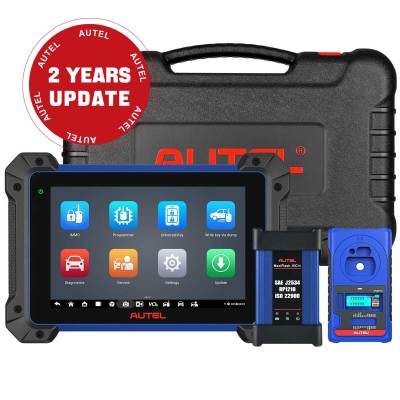
If you own a 2018 Toyota Corolla and need an additional spare key—or if you have lost your original key—the Autel MaxiIM IM608II combined with Autel Keys offers a professional-grade solution that is both reliable and efficient. This powerful diagnostic tool supports a wide range of vehicle makes and models, and in this guide, we will walk you through the entire process of programming a new smart key for your Corolla.
Whether you are a professional locksmith, an automotive technician, or a dedicated DIY enthusiast, this tutorial will provide you with clear, actionable steps. We will cover everything from identifying your original key’s specifications to generating a new key and finally programming it to your vehicle. Let’s get started.
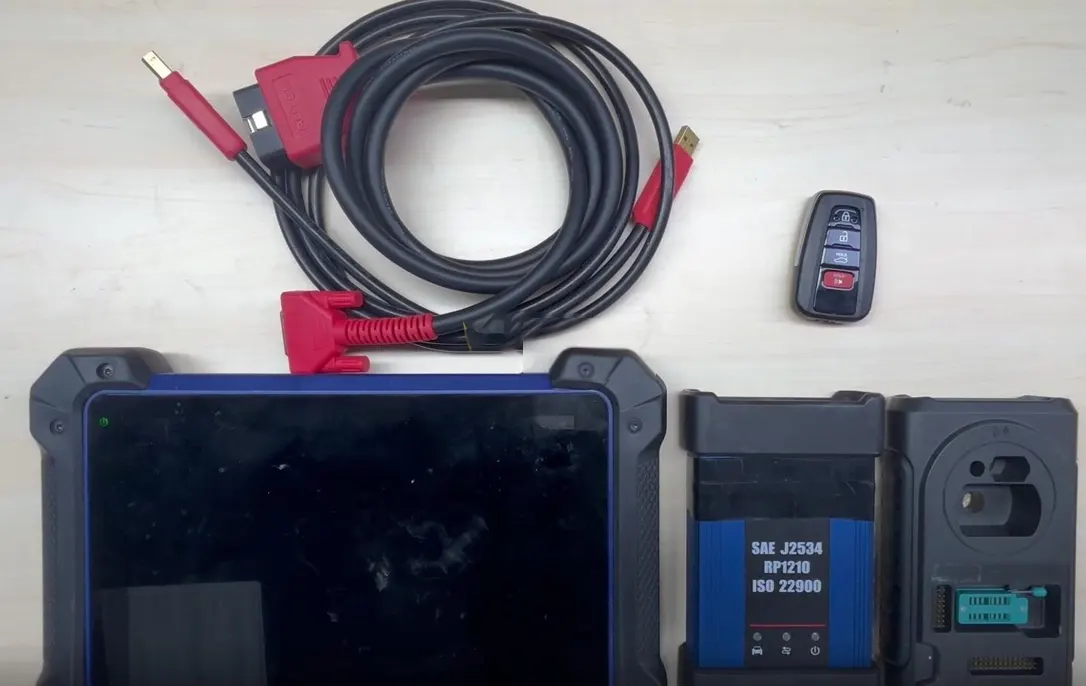
Required Tools
- Autel MaxiIM IM608 II – The main diagnostic and programming tool.
- Autel Keys – Compatible replacement keys for Toyota vehicles.
- A stable 12V power supply for the vehicle (battery should be in good condition).
- Original working key (for identification and programming).
Before you begin, ensure that your Autel IM608II is updated with the latest firmware and software versions. This guarantees that you have access to the most recent vehicle databases and programming algorithms, which is critical for a successful key addition.
Step 1: Identify and Record the Original Key Information
The first step in the key programming process is to read the data from your original working key. This allows the Autel device to determine the key type, transponder chip, and remote control frequency. Accurate identification is essential because the new key must match these parameters exactly.
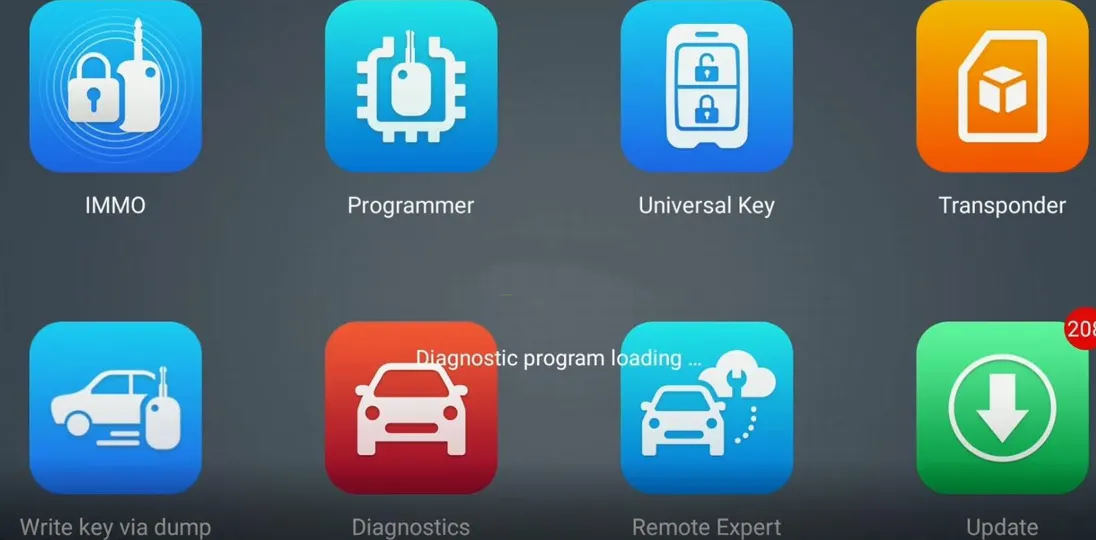
Navigate to the programmer menu on your Autel IM608II. Follow this path:
- Programmer → Transponder → Transponder Reading → Automatic Detection
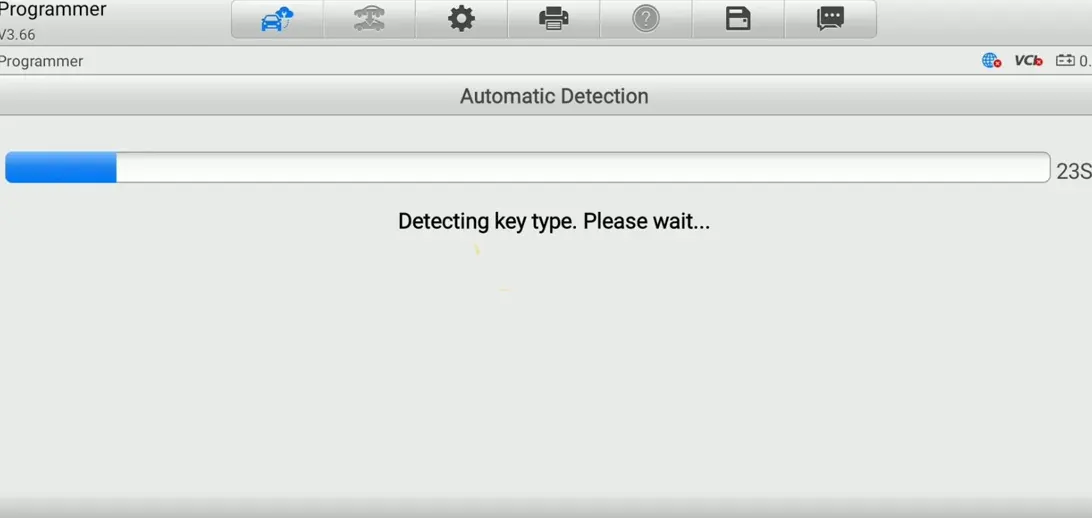
Place the original key in the programming coil of the IM608II and start the automatic detection. The device will scan the key and display its technical details. For the 2018 Toyota Corolla, the system typically identifies the key type as 8A-88.
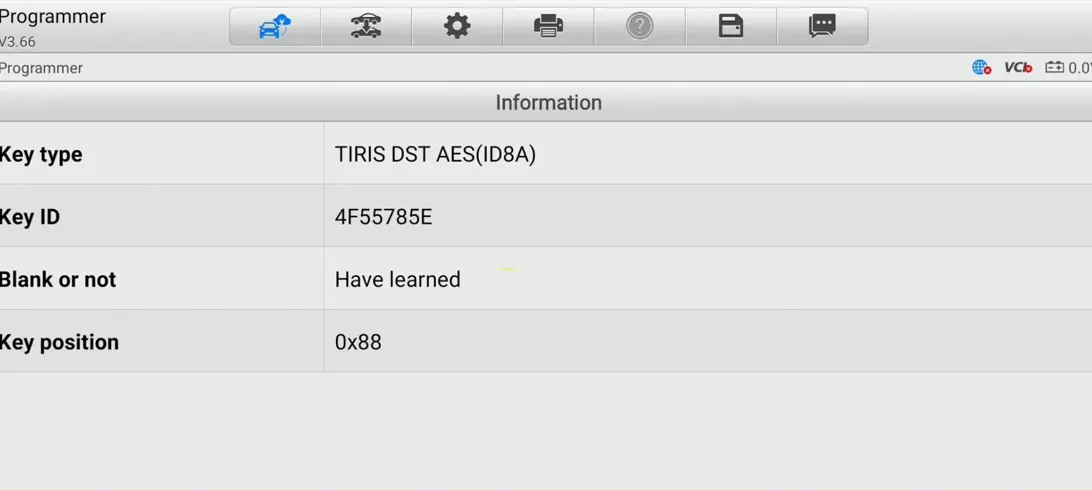
In addition to the transponder type, the IM608II will also detect the remote control frequency. For this model, the frequency is usually 314.5 / 315.10 MHz. Make a note of this information, as you will need it in the next step.
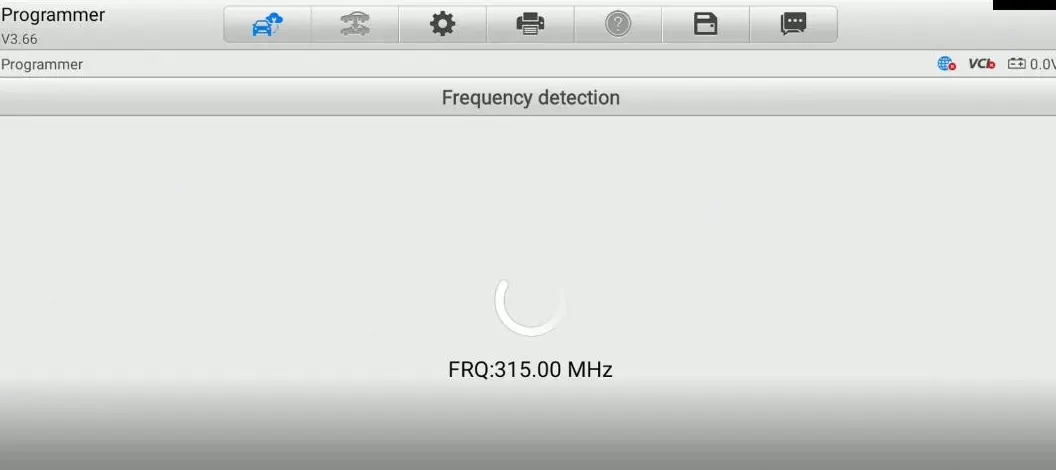
Recording these details is crucial because it ensures that the key you generate will be fully compatible with your vehicle’s immobilizer and remote locking system. Skipping this step or entering incorrect data will result in a failed programming attempt.
Step 2: Generate a New Key Using the Universal Key Menu
Once you have successfully identified the original key specifications, the next step is to generate a new key that matches those parameters. The Autel IM608II includes a powerful “Universal Key” function that simplifies this process.
From the main menu, navigate to:
- Universal Key → Universal Key Generation → Asia → Toyota → Type by Model → Corolla → 2018
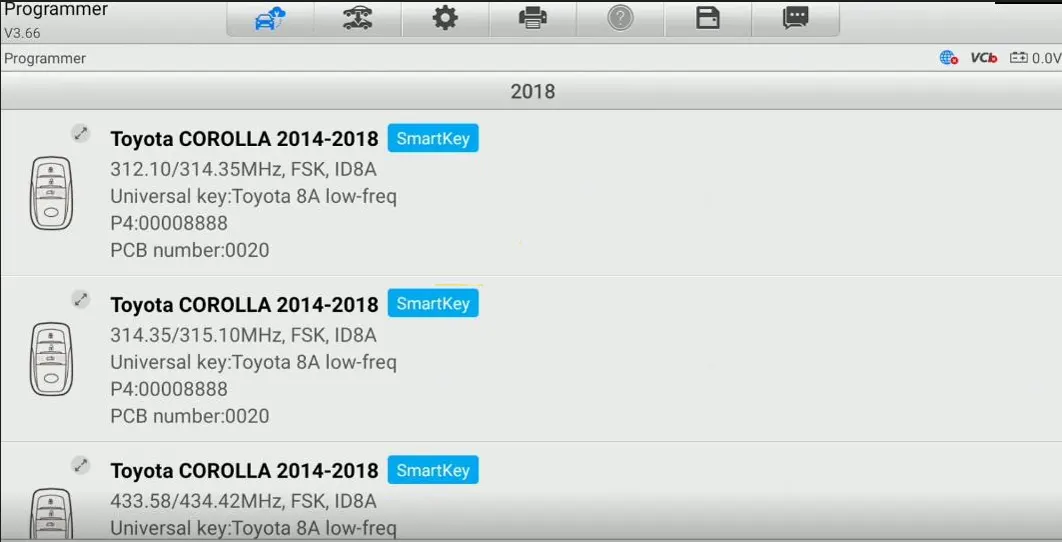
The device will present you with a list of compatible key options. Select the one that matches the information you recorded earlier. For the 2018 Corolla, the correct settings are typically:
- Model: Toyota Corolla 2014–2018
- Frequency: 314.35 / 315.10 MHz
- Modulation: FSK
- ID: 8A
- P4: 00008888
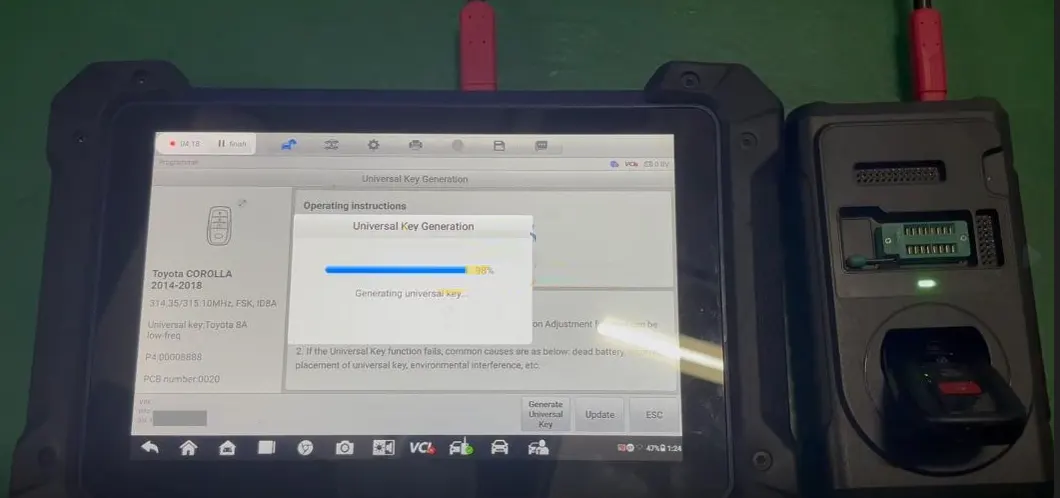
Place a blank Autel key into the programmer’s coil and confirm the generation. The IM608II will write the correct transponder data and remote control code onto the new key. This process usually takes just a few seconds. Once completed, the new key is physically ready for the vehicle programming phase.
Step 3: Perform the “Add Key” Function via the IMMO Menu
With the new key generated, the final step is to program it to the vehicle’s immobilizer system. This is done through the IMMO (Immobilizer) menu of the Autel IM608II. Follow these steps carefully:
Navigate to:
- IMMO → Asia → Toyota → Automatic Selection → Control Unit → Keyless System (CAN) → Add Smart Key
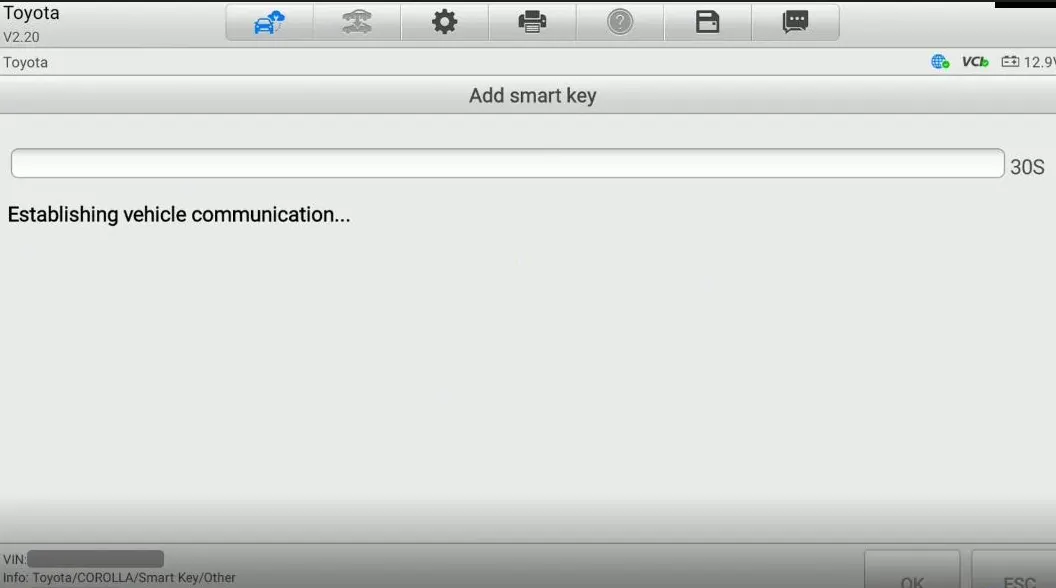
The system will prompt you to place a learned smart key close to the start button. This is a security measure to verify that you have physical access to an already authorized key. Take your original working key and hold it near the engine start/stop button, as shown on the screen.
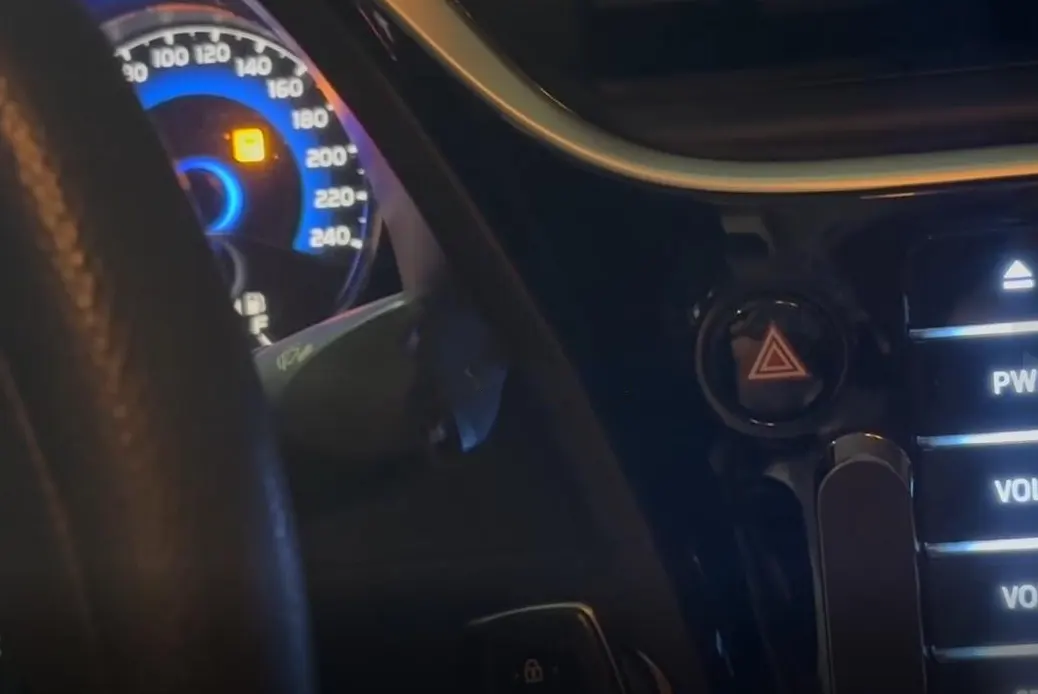
After the system verifies the existing key, follow the on-screen instructions to introduce the new key. The IM608II will communicate with the vehicle’s ECU and add the new key’s unique ID to the list of authorized keys.
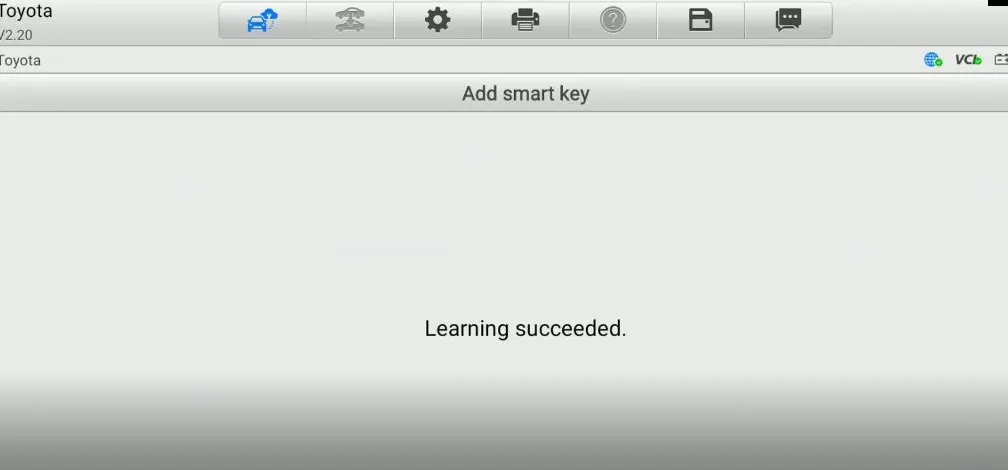
Once the process is complete, you will see a success message on the display. The new key is now fully functional and can be used to start the engine and operate the remote locking system.
Final Checks and Tips
After the programming is complete, test the new key thoroughly:
- Lock and unlock the doors using the remote buttons.
- Start the engine to confirm that the immobilizer recognizes the new key.
- Check that all remote functions (trunk release, panic button, etc.) work as expected.
If any function does not work, repeat the process from Step 2, ensuring that you have selected the correct key type and frequency. Also, verify that the vehicle’s battery voltage is stable during the procedure, as voltage drops can interrupt the programming sequence.
Conclusion
Adding a new key to a 2018 Toyota Corolla using the Autel MaxiIM IM608II and Autel Keys is a straightforward process when you follow the correct sequence. By carefully identifying your original key, generating a compatible replacement, and using the IMMO menu to add the key to the vehicle, you can have a fully functional spare key in under 15 minutes.
The Autel IM608II remains one of the most versatile automotive diagnostic tools on the market, capable of handling a wide range of key programming tasks across many vehicle brands. With regular firmware updates, it continues to support the latest models and security protocols, making it an excellent investment for professionals and serious DIYers alike.
We hope this guide has been helpful. If you have any questions or encounter issues about your key programmer, consult the Autel user manual or reach out to their technical support team for further assistance. Happy programming!
Recent Comment