
What You Need Before Starting
To successfully unlock a Toyota 4A smart key using the CGDI K2 key programmer, make sure you have the following items ready:
- Device: CGDI K2 (firmware version V5.8.8 or newer)
- Hardware: Dedicated Toyota 4A unlocking adapter
- Component: Genuine Toyota 4A smart key
Step-by-Step Instructions to Unlock Toyota 4A Key
1. Prepare the Smart Key
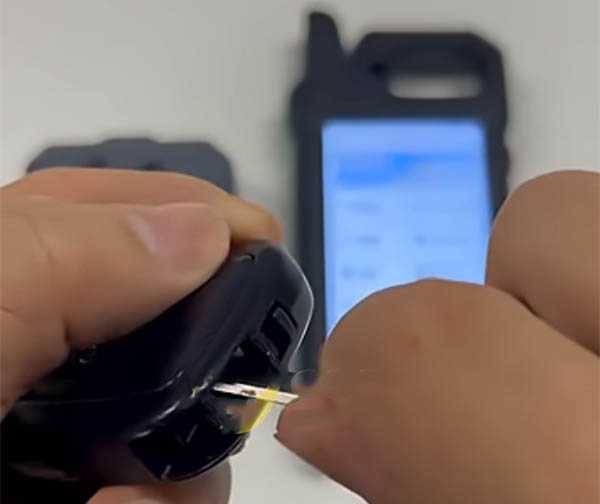
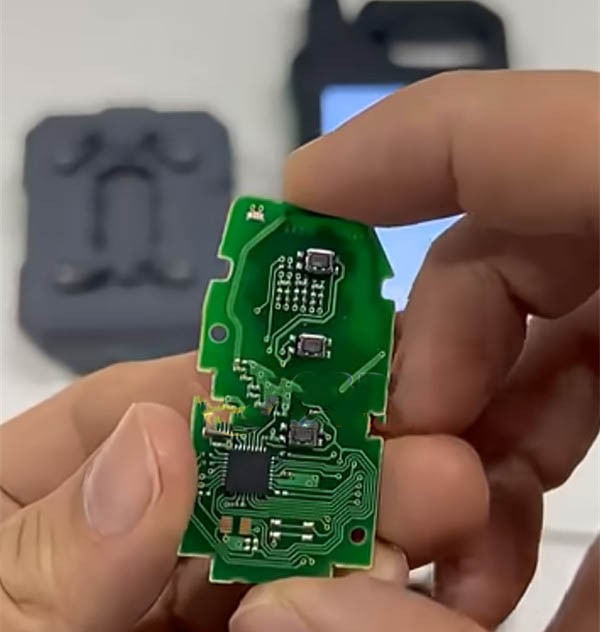
Disassemble the Toyota 4A smart key carefully and remove the printed circuit board (PCB) from its casing.
2. Mount the PCB on the Adapter
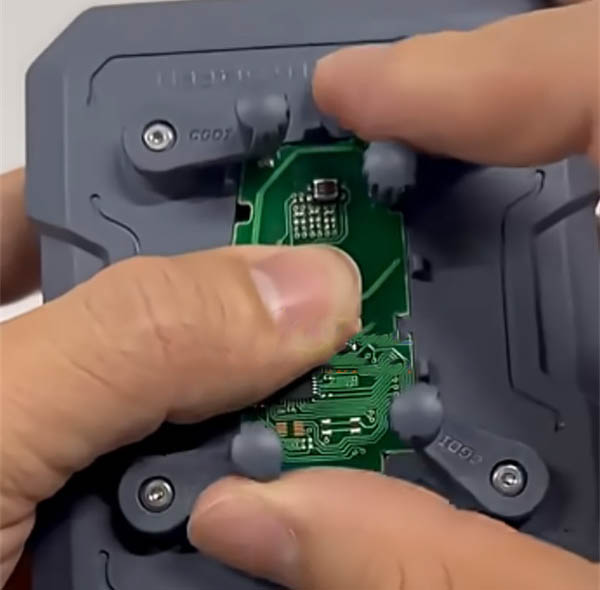
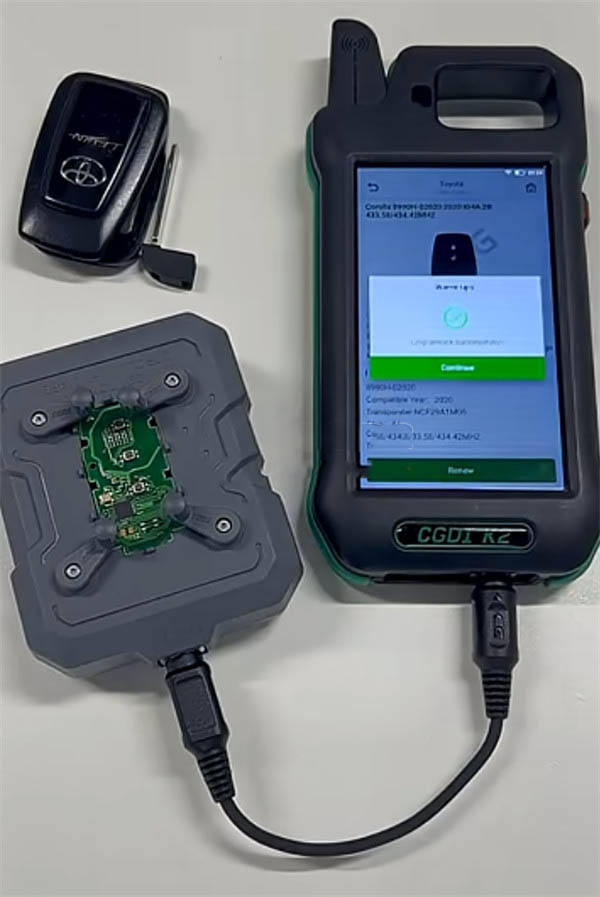
Place the PCB onto the specialized Toyota 4A adapter. Ensure the contact points align perfectly with the adapter pins to avoid communication errors during the unlocking process.
3. Connect the Adapter to CGDI K2
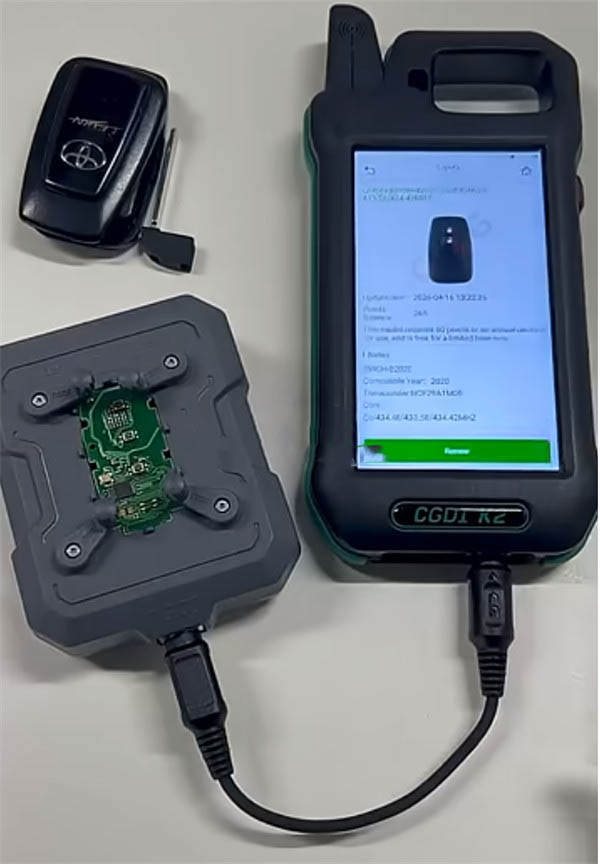
Plug the adapter into the CGDI K2 key tool. Make sure the connection is secure before powering on the device.
4. Run the Unlocking Process
Turn on the CGDI K2, navigate through the main menu to Key Unlocking > Toyota 4A, then follow the on-screen prompts to reset and unlock the smart key.
Supported Toyota 4A Models
Currently, the CGDI K2 key tool supports unlocking for 15 different Toyota 4A smart key models, covering a wide range of Toyota vehicles.
Recent Comment
Mike
May 6, 2026Great tutorial! Clear instructions and accurate requirements. Just make sure your CGDI K2 firmware is really V5.8.8 or above. I tried on three different Toyota 4A keys and all were unlocked without any issues. Keep up the good work!
John
Apr 10, 2026Followed this guide step by step and successfully unlocked my first Toyota 4A key using CGDI K2. The images were very helpful, especially mounting the PCB on the adapter. Worked like a charm on a 2022 Toyota Camry. Highly recommended!